

YazFex AI
A conversational AI layer embedded in Perfex CRM with multi-tab chat, provider choice, and controlled database actions.
See YazFex AI in Action
Every screenshot below is from a live Perfex CRM — real data, real AI responses, zero staging tricks.
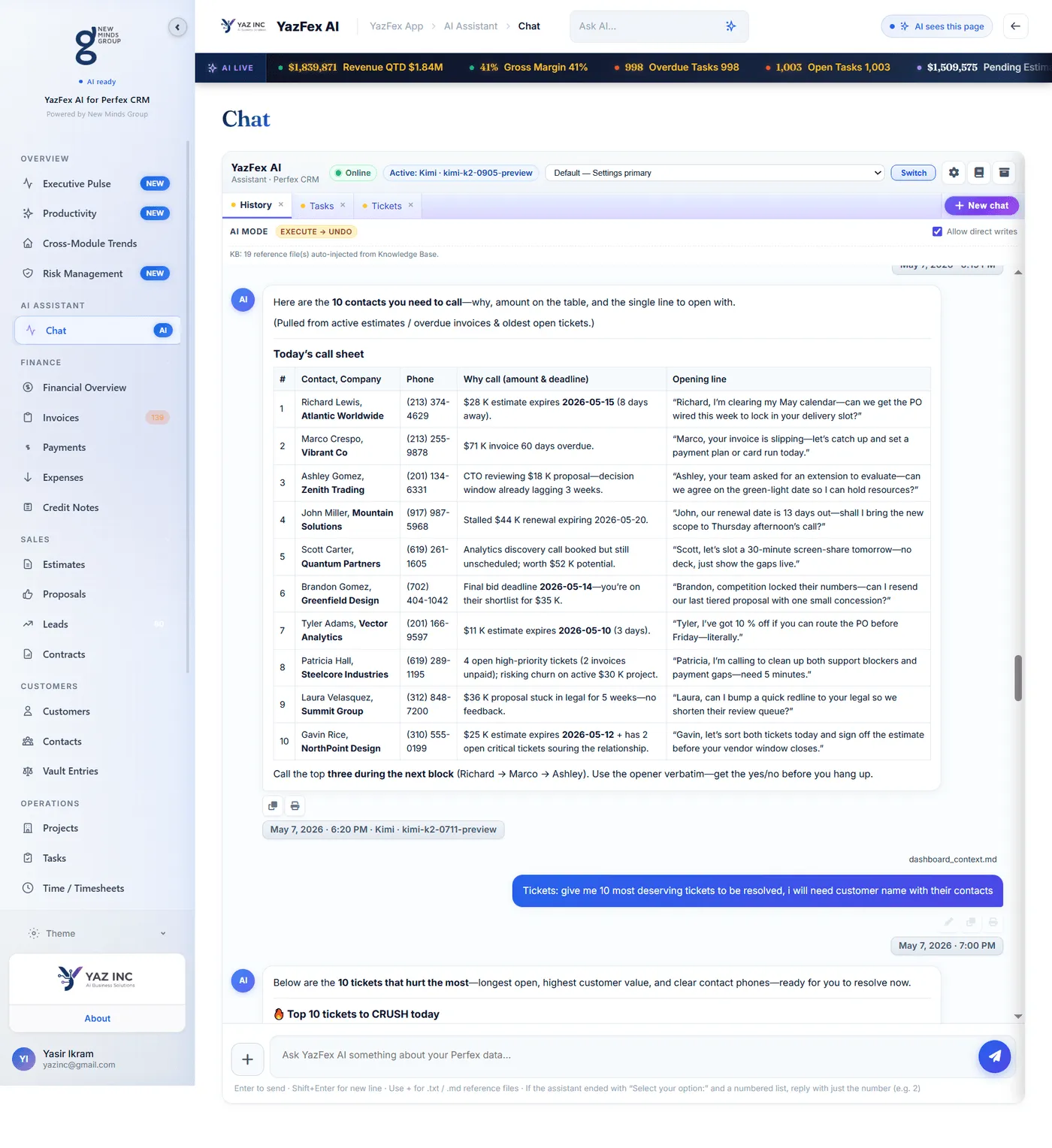
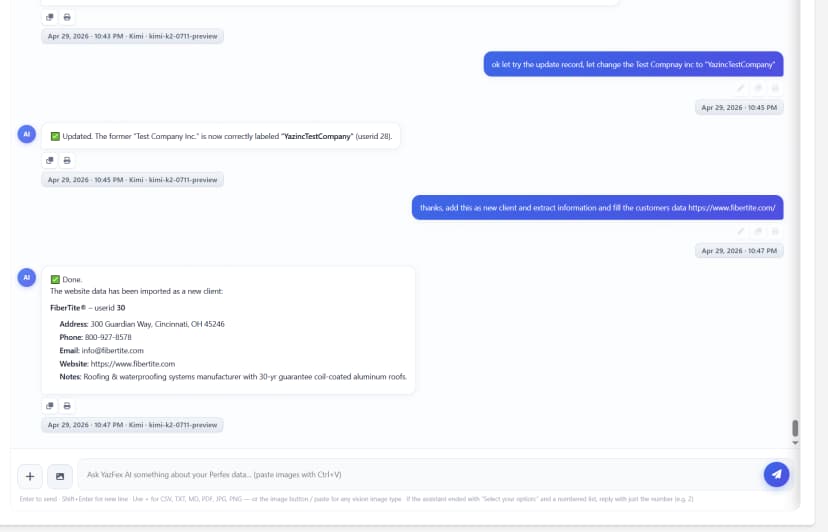
Scrape any website URL to instantly create a CRM contact
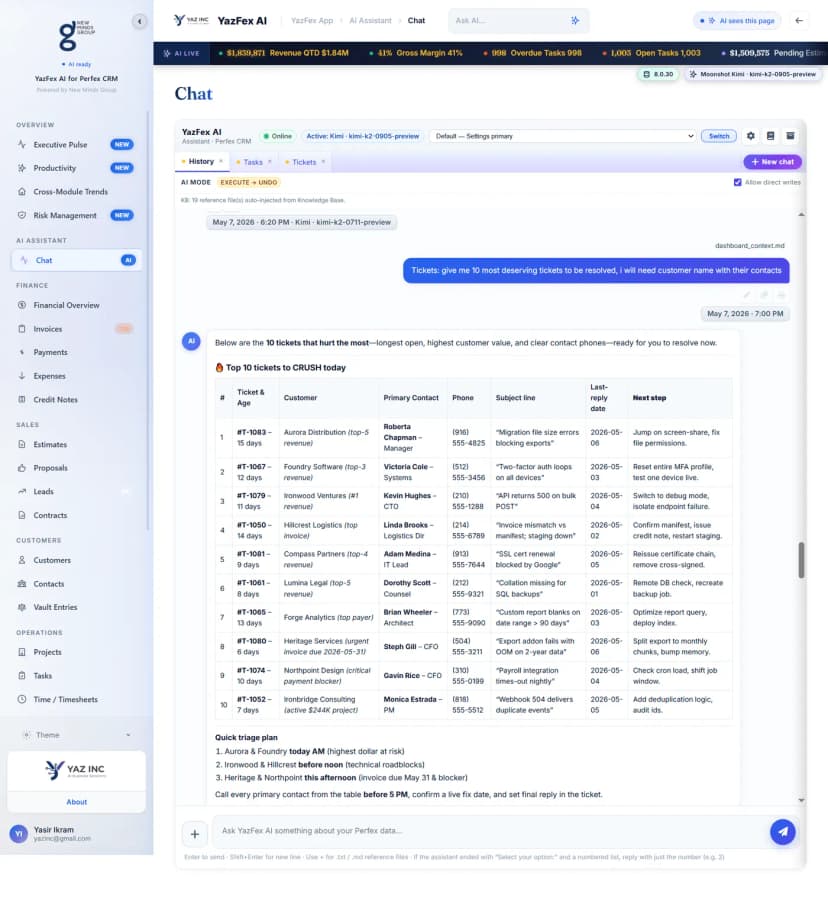
Prioritize tickets by customer revenue and urgency
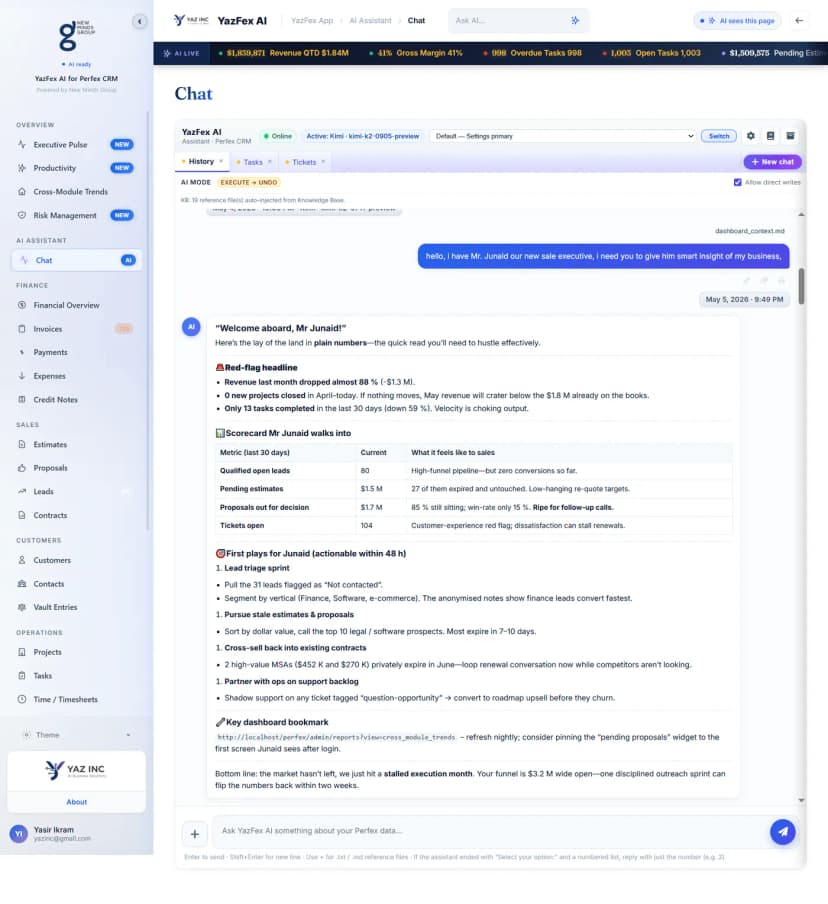
AI creates 72-hour sprint plans for new staff
Multi-Provider AI Engine
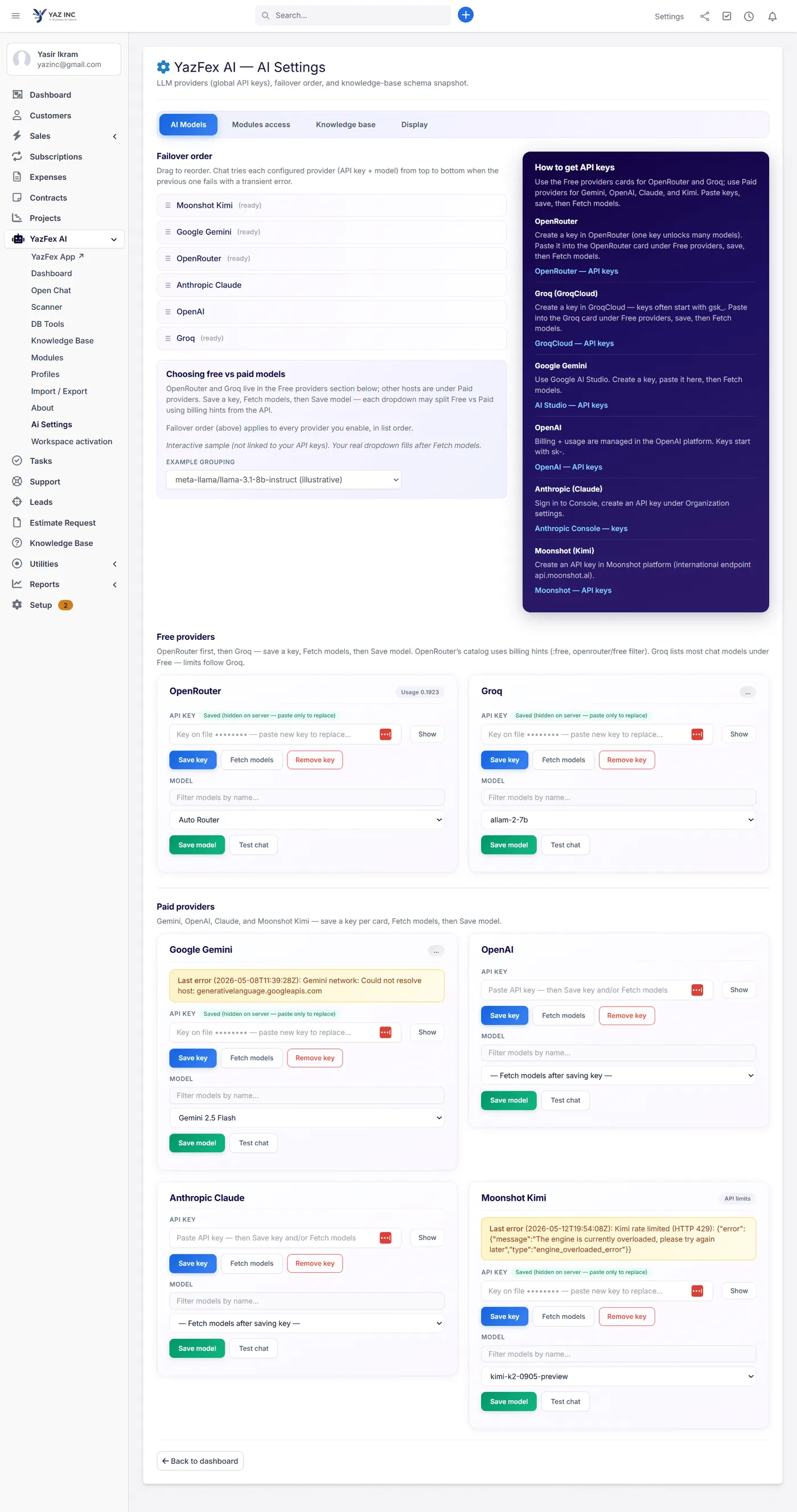
YazFex AI connects to 6 major LLM providers simultaneously: OpenRouter, Groq, Google Gemini, OpenAI, Anthropic Claude, and Moonshot Kimi.
Failover Order — Drag-and-drop priority. If one provider fails, the next picks up automatically. Zero downtime.
Free vs Paid Providers — OpenRouter and Groq are free to start. Paid providers (Gemini, OpenAI, Claude, Kimi) unlock premium models.
Encrypted Key Storage — Every API key is saved encrypted on your server. Keys are hidden (“Key on file ●●●●●●”) and only replaceable, never readable. Your credentials never leave your server.
One-Click Model Selection — Fetch available models from any provider, filter by name, and save. Test chat instantly from the settings page.
Workspace Chat — Your CRM Co-Pilot
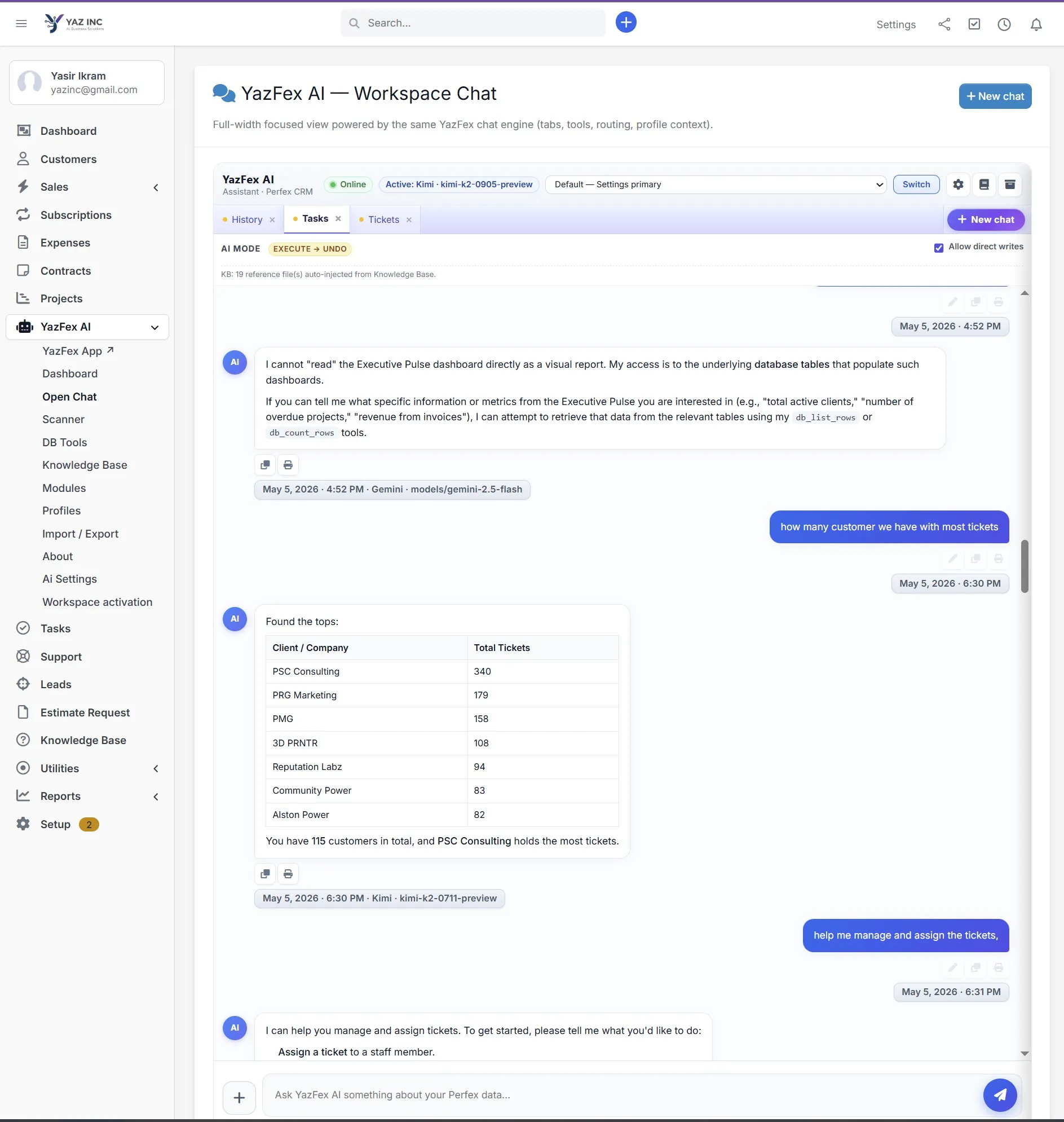
Switch AI Models Mid-Conversation — See the “Active: Kimi” badge and “Switch” button? Change from Gemini to Kimi to Groq without leaving the chat. Each model brings different strengths.
Multi-Tab Context — Open History, Tasks, and Tickets tabs simultaneously. The AI sees which tab you're on and adjusts its context.
Execute → Undo Safety — AI MODE shows “EXECUTE → UNDO” — the AI can write to your CRM (create invoices, assign tasks) but every action is reversible.
Real Database Queries — Ask “how many customers have the most tickets?” and get a formatted table with actual data. The AI queries your live database tables.
Knowledge Base Auto-Injection — “KB: 19 reference files auto-injected” means the AI already knows your Perfex setup, hooks, routes, and custom modules.
Database Scanner — Keep AI In Sync
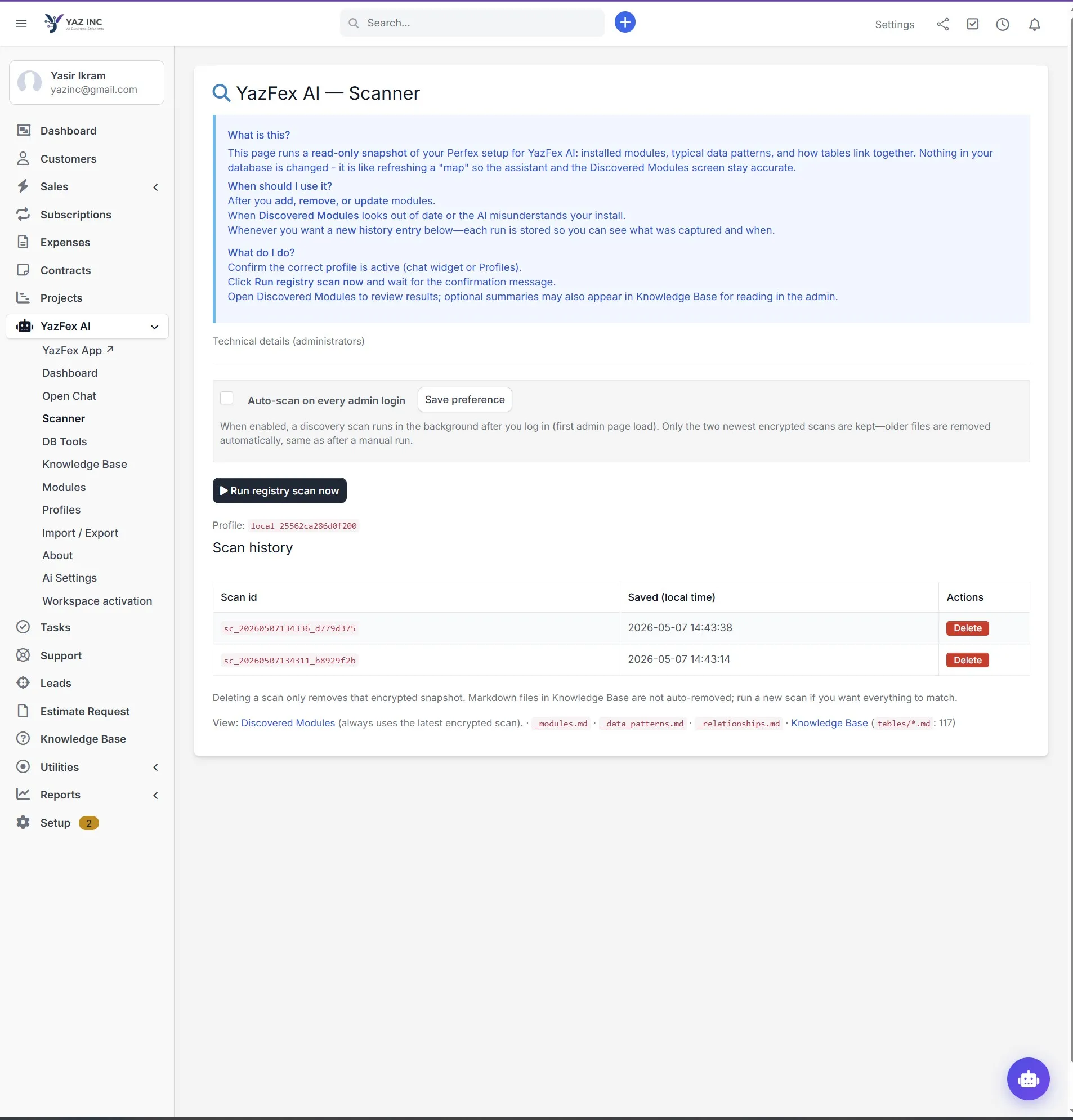
What It Does — Runs a read-only snapshot of your Perfex database: installed modules, data patterns, table relationships. Nothing changes — it just refreshes the AI's “map”.
When To Use — After adding, removing, or updating modules. When Discovered Modules look out of date. When you want a fresh history entry.
Auto-Scan on Login — Enable the checkbox and every admin login triggers a background scan automatically. Always up-to-date.
Encrypted Scan History — Each scan is stored as an encrypted snapshot. Only the two newest are kept. Full audit trail of what was captured and when.
Discovery-Generated Markdown — Scanner produces _modules.md, _data_patterns.md, _relationships.md — structured docs the AI references during every chat.
Knowledge Base — Teach Your AI Everything
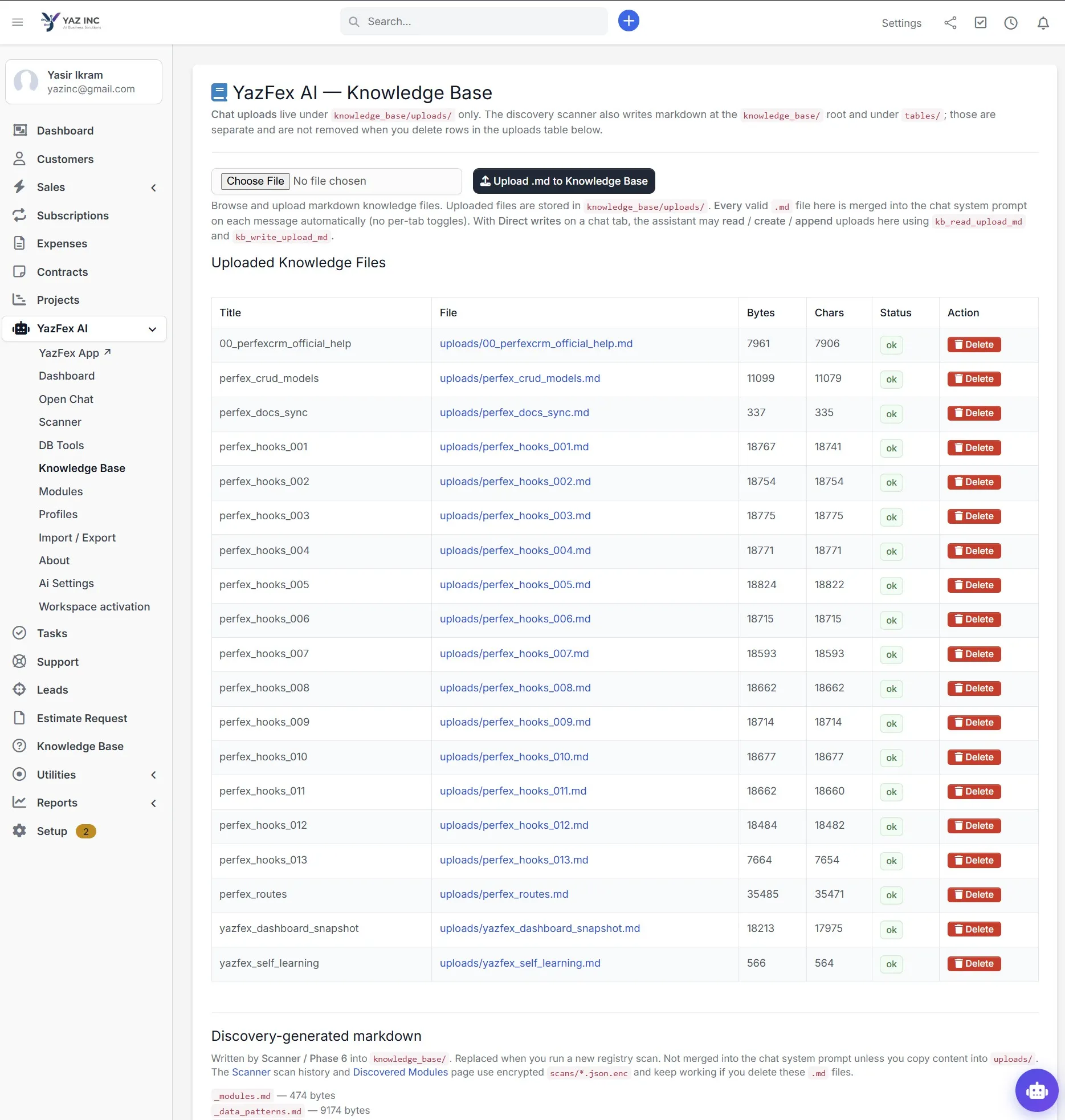
Upload Markdown Files — Drag-and-drop .md files into the Knowledge Base. Every uploaded file is merged into the AI's system prompt on every message.
19 Pre-Built Reference Files — Out of the box: Perfex hooks (13 files), CRUD models, routes, docs sync, dashboard snapshots, and self-learning instructions.
Auto-Merged Context — Unlike RAG systems that search, YazFex AI injects ALL uploaded files directly. No retrieval lag, no missed context.
Discovery + Uploads — Scanner-generated markdown lives in tables/ (117 files). Your custom uploads live in uploads/. Both feed the AI, but separately managed.
Full Control — Delete any file instantly. Upload new docs anytime. The AI adapts on the next message — no retraining, no waiting.
Click one of the context prompts above to simulate active chat.
Target Operators
Administrators who want a single assistant surface across admin pages.
Staff who prefer natural language for repetitive CRUD and lookups.
Partners who need a credible story on safety, auditability, and Perfex model alignment.
What You Get
Grounded Context Attachments
Designed alongside YazFex App so dashboard snapshots can ride along as reference attachments in chat, leading to highly grounded, accurate answers instead of hallucinations.
Technical Specifications & Integration
Requires PHP compatible with your Perfex version.
Requires administrator configuration of provider keys and sensible HTTP timeouts for LLM calls.
Bypasses CodeIgniter's log_threshold to write a dedicated audit log at keys/_runtime/audit.log for trace.
Request a guided tour on a staging Perfex with sample data.
Experience YazFex AI running against sample database records.
Coordinate Staging Tour